FIELD NOTE 01
CURRENT FULL-RELEASE EVIDENCE
Regional Expansion confirms that a region can be unlocked, Pollution Solution confirms game completion, and several achievements use a single-level scope: five batteries, 20 filled barrels and 50% cleared with one turbo charge.
These current conditions prove that levels and broader completion targets exist. They do not prove that 100% cleanup is always required to reach the next map.
- Regional Expansion — Unlock a region
- Pollution Solution — Complete the game
- Supercharged — Collect 5 batteries in a single level
- Barrel Bonanza — Filled 20 barrels in a single level
- Turbo Domination — Clear 50% of a level with a single turbo charge
FIELD NOTE 02
DEMO-BUILD EVIDENCE · NEEDS CURRENT RECHECK
A Steam Community Demo discussion describes replaying the same level after failing to complete it to 100%. This identifies a real historical player problem, but one report does not define the complete full-release mechanic.
The safe conclusion is narrow: in the reported Demo experience, incomplete cleanup appeared connected to replay or delayed advancement. This is not a full-release guarantee, and this guide does not claim which objects, residue or objectives count toward the percentage.
FIELD NOTE 03
What to check before repeating a level
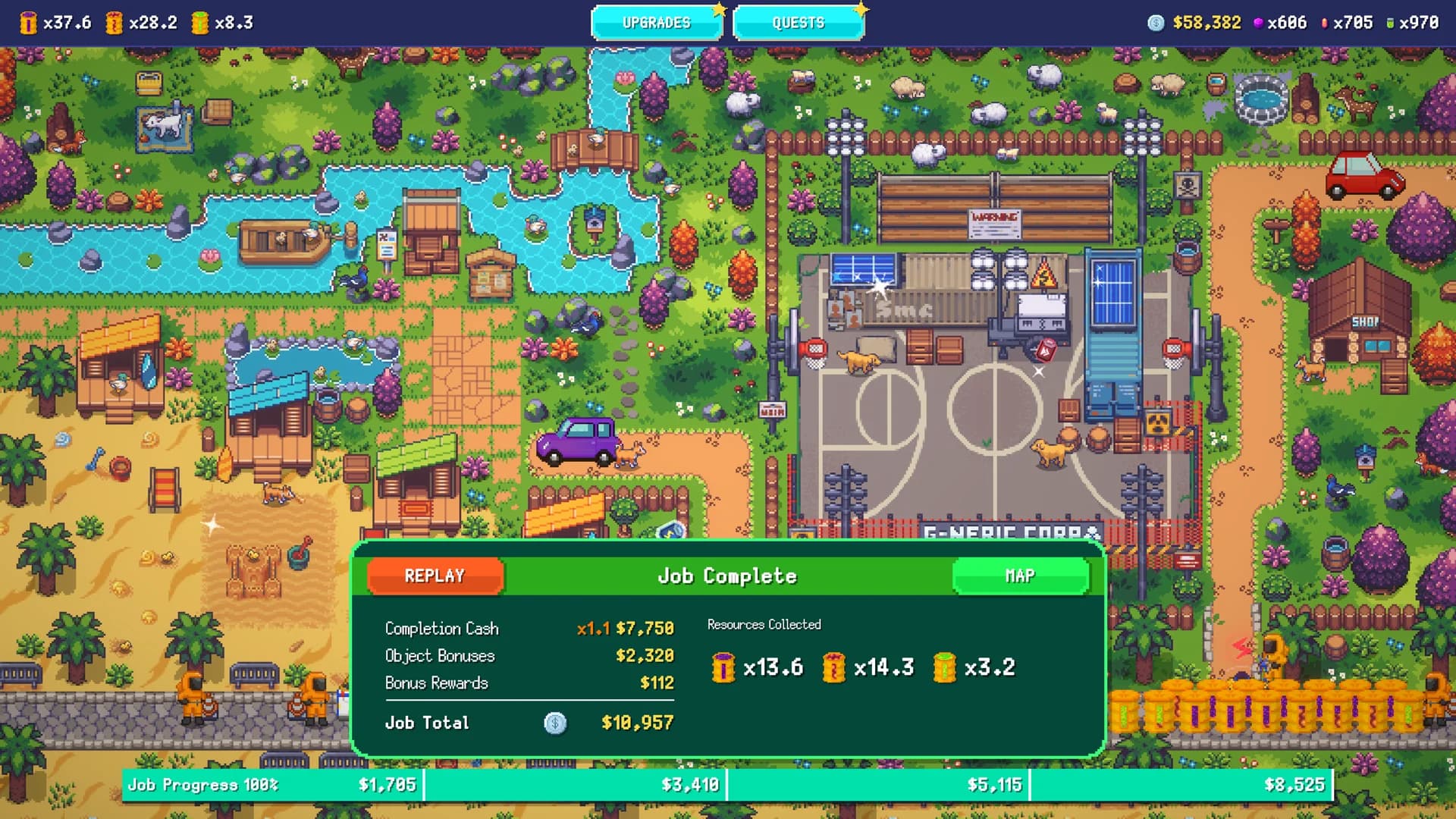
Use only signals the current build presents. Read the objective text, completion or earnings summary and map marker; compare them with the state before the job. If a completion percentage is shown, note it exactly rather than guessing which hidden action is missing.
A screenshot of the result and map state makes troubleshooting reproducible. It also separates a completion condition from a quest, resource, processing or upgrade requirement that happens to block the same next step.
- Visible objective text
- Displayed completion percentage
- Unfinished on-screen markers
- Job-completion summary
- Next map or quest message
FIELD NOTE 04
Next map and area unlocks
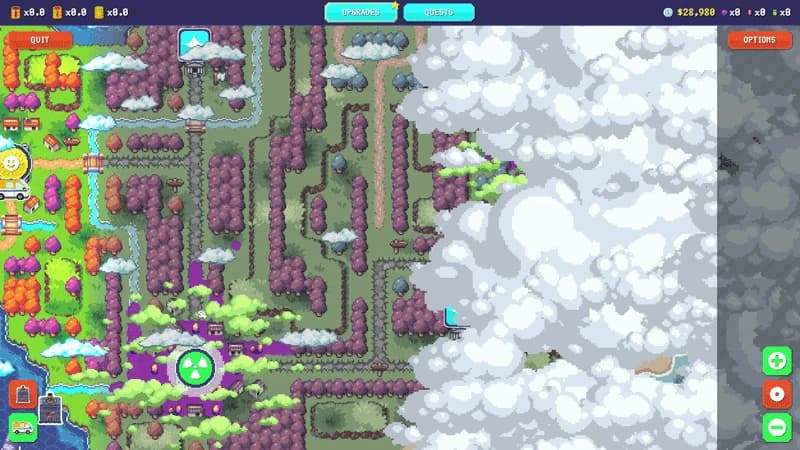
The official store says players unlock new areas, and Regional Expansion confirms region unlocking. Neither source publishes the exact current rule for moving from one map to the next.
If the next region remains covered, check the active quest and any explicit requirement before assuming 100% cleanup is always mandatory. The blocker may be completion, but it may also be a separate unlock signal.
FIELD NOTE 05
Current-build verification checklist
The historical behavior still needs a controlled full-release check: complete below 100% where possible, complete at 100%, observe the next-map state, record any quest or resource prerequisite and repeat the result on more than one region.
Only reproducible current behavior moves from the Demo evidence block into the main answer. Current official notes outrank community reports; conflicting behavior stays explicitly labeled.
- Below-100% outcome
- 100% outcome
- Next-map state
- Quest prerequisite
- Resource or upgrade prerequisite
- Current build identifier
EVIDENCE LOG