FIELD NOTE 01
What is officially documented
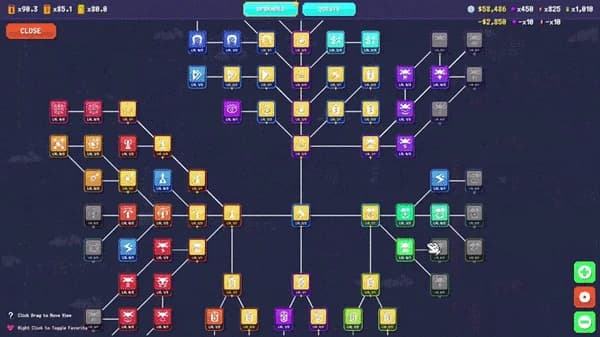
The June Steam update names a range of gamepad improvements to tool use, the map and the upgrade tree. It also mentions cursor and control fixes.
That is useful evidence that controller navigation was actively supported and improved. It does not identify every device, layout or full-release edge case.
FIELD NOTE 02
Safe troubleshooting order
Reconnect the controller, confirm it is recognized by Steam, restart the game after changing input mode and test a standard layout. If Steam Input is enabled, compare its default profile before remapping many actions.
Change one variable at a time. Avoid deleting save or configuration data as an early step.
- Confirm device works in Steam
- Reconnect before launching
- Test default Steam Input profile
- Restart after input-mode changes
- Record the exact screen where navigation fails
FIELD NOTE 03
What remains reserved
Steam Deck compatibility is not inferred from Linux requirements or demo controller work. A Steam Deck route remains 404 until current device evidence supports a complete answer.
Current controller issues will move to the Known Issues page only with full-release context and source freshness.
FIELD NOTE 04
Current-build tool verification
Current controller QA should check tool use, map navigation and upgrade-tree navigation separately. Record the device, Steam Input state, operating system, build and exact screen instead of issuing a blanket supported-or-broken verdict.
The historical Demo jackhammer toggle report remains historical unless it reproduces on the current build or receives current official acknowledgement. Safe troubleshooting never starts by deleting save data.
EVIDENCE LOG